
Your Clarion software.
A whole new view.
Modern, interactive dashboards. Inside your desktop application. We can now bring rich charts, visual insights and connected views to the Clarion software your business already knows.
See what’s possibleLet’s talk about your application
The system you know.
The insight you’ve wanted.
Your Clarion application holds valuable business information. Now we can give it a modern visual layer, using HTML and JavaScript to make that information easier to explore.
Think clear summaries, charts you can interact with, and details connected to your existing screens. A dashboard designed around the questions your business needs answered.
See the possibilities
Choose a view. Enlarge any screenshot to explore the detail.
Your business,
at a glance.
Bring the important numbers together. Summary cards, daily activity and visual comparisons make the bigger picture easier to read.
In this example: hours, clients, calls and open requests. Enlarge screenshot
One selection.
A clearer picture.
Select a client in the familiar desktop list and see their activity alongside it. The dashboard and the Clarion workflow work together.
In this example: client selection and a linked activity view.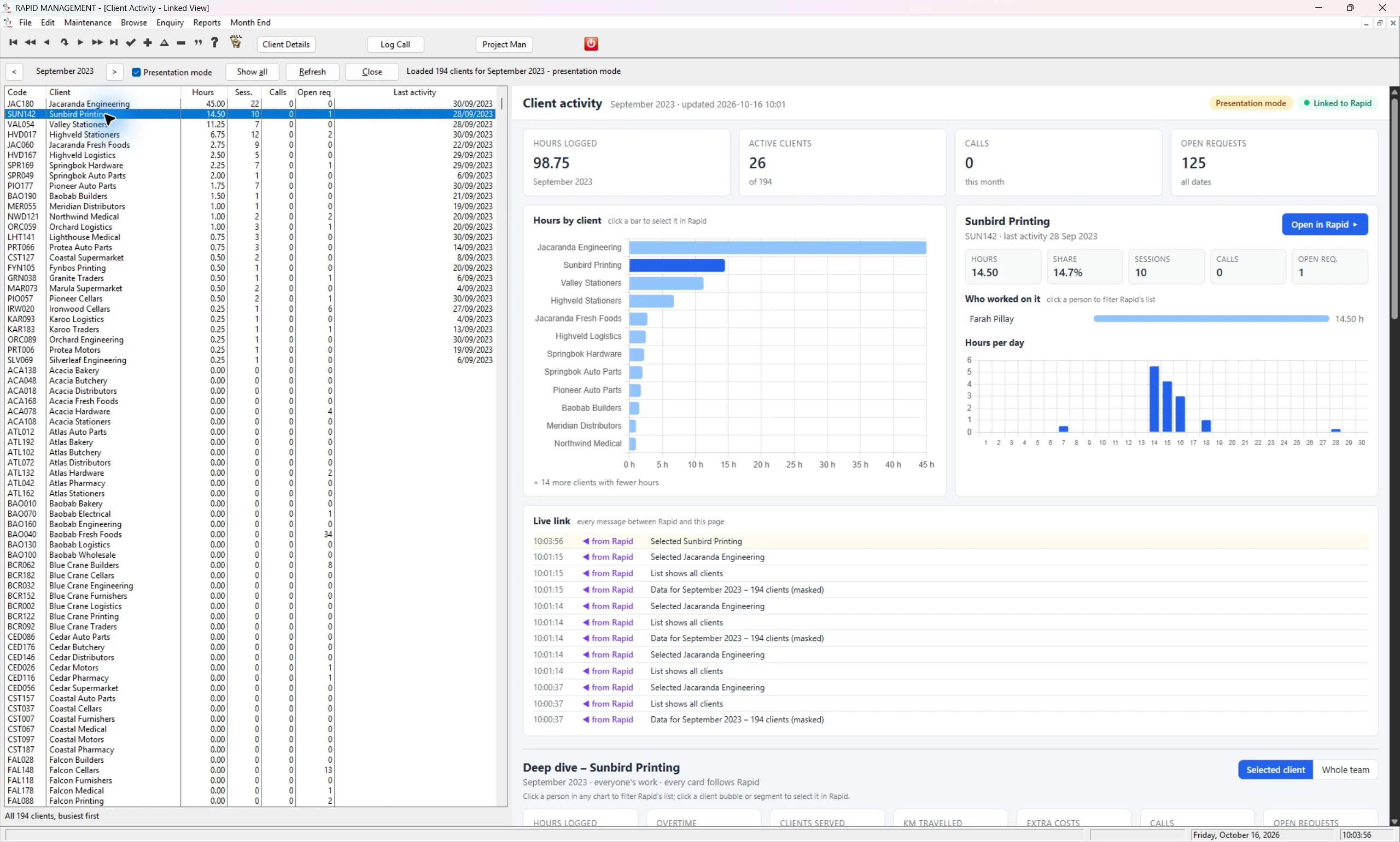 Enlarge screenshot
Go beyond
the headline.
Explore the values behind a chart. Hover details help explain what you are seeing, without losing the context of the overall picture.
In this example: daily hours and a running total.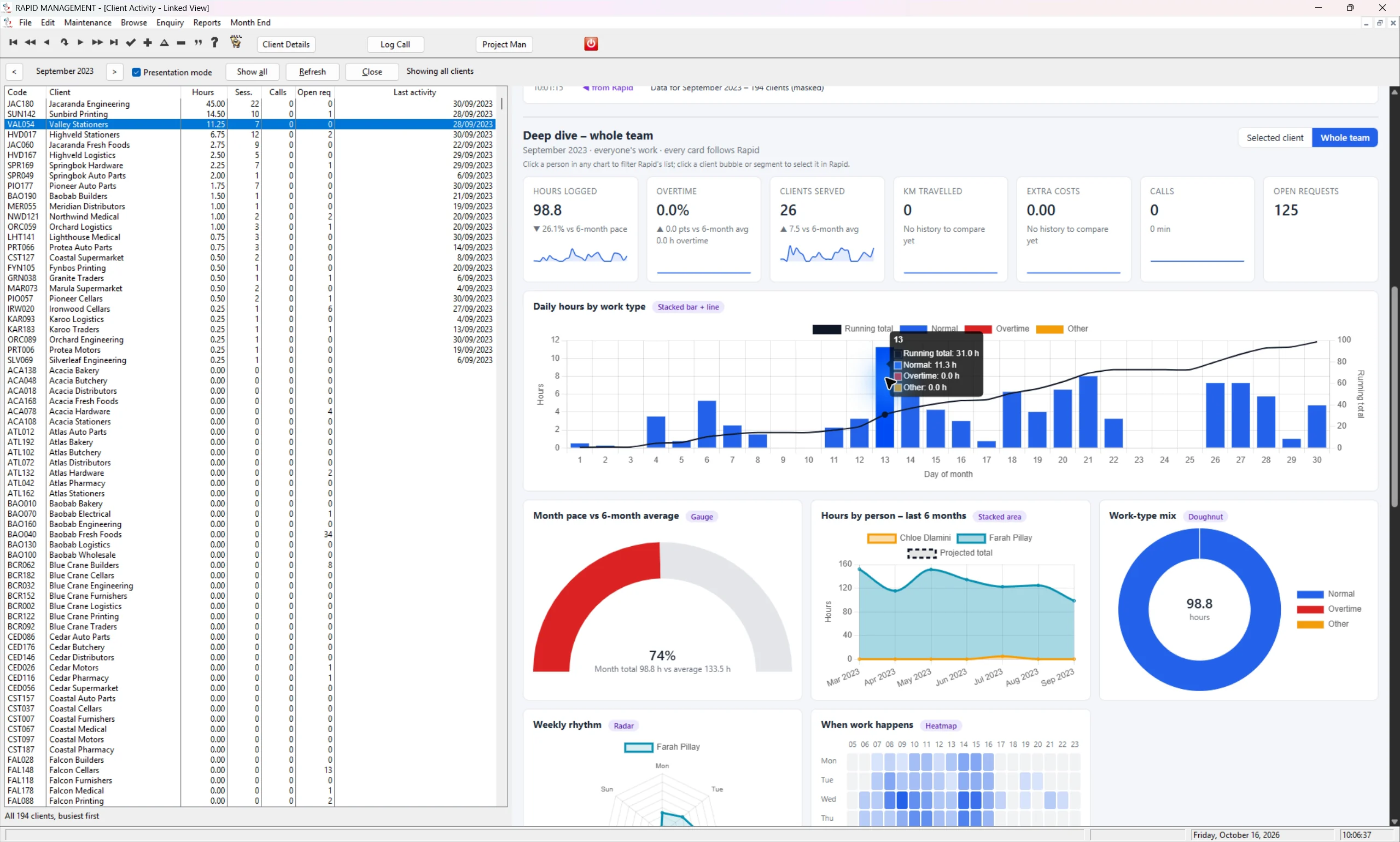 Enlarge screenshot
See the patterns
in your data.
Compare activity over time, spot busy periods and understand the mix of work through gauges, trends, heatmaps and visual timelines.
In this example: team pace, work patterns and six-month trends.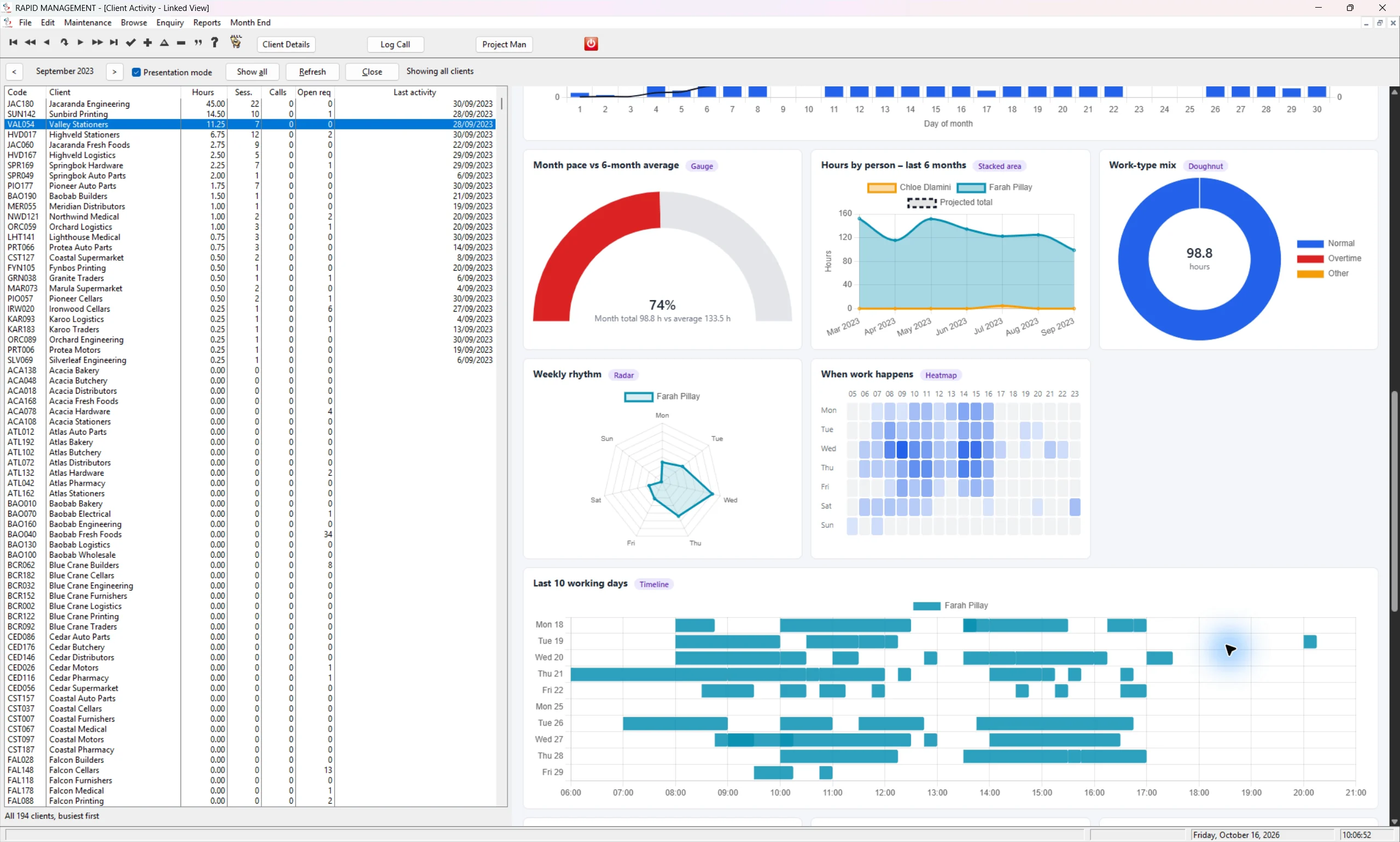 Enlarge screenshot
Know what needs
your attention.
See how requests are distributed, which items have been waiting and the activity behind the totals, in one connected view.
In this example: project workload, request age and activity records.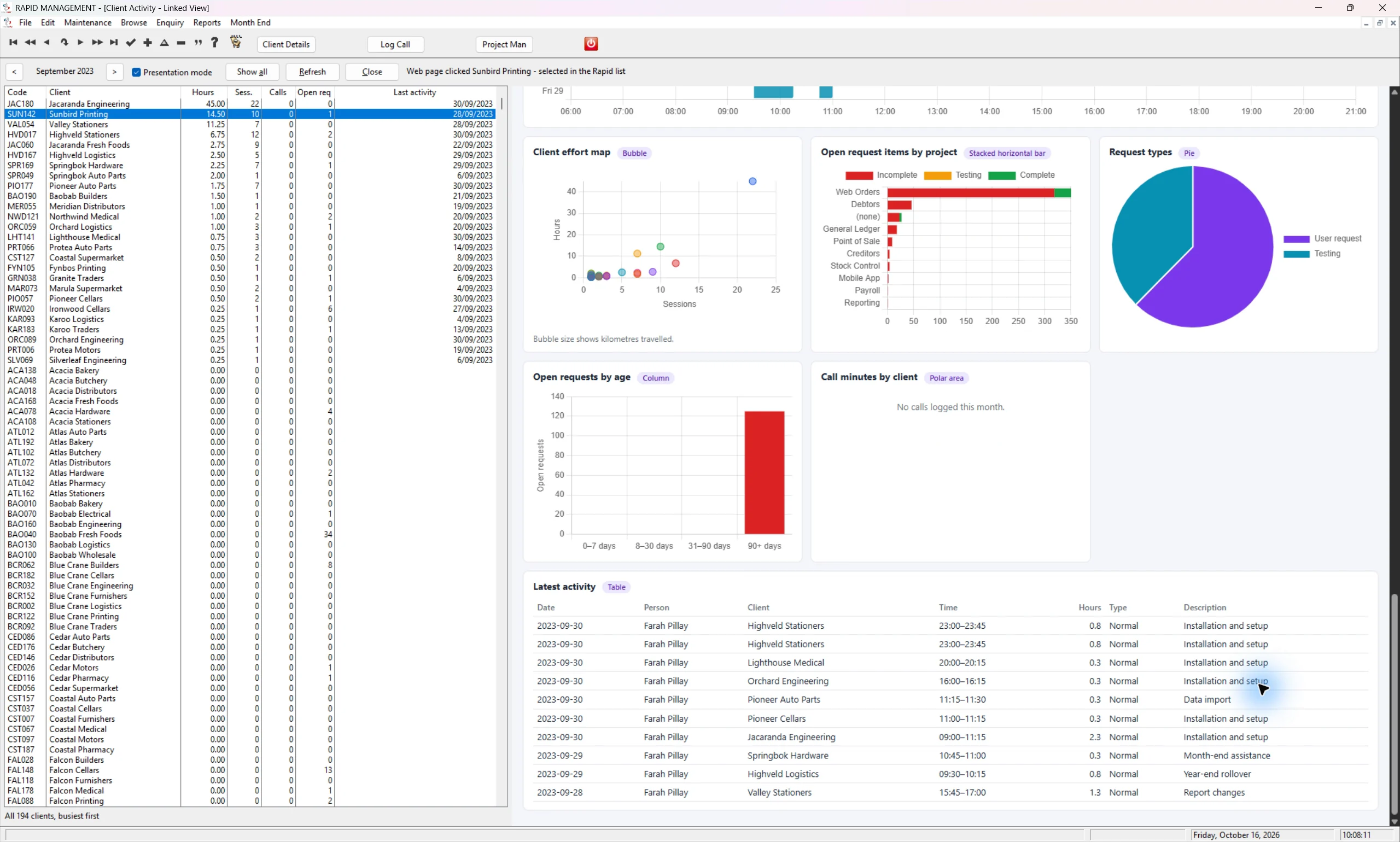 Enlarge screenshot
Explore the full screenshot gallery 16 images
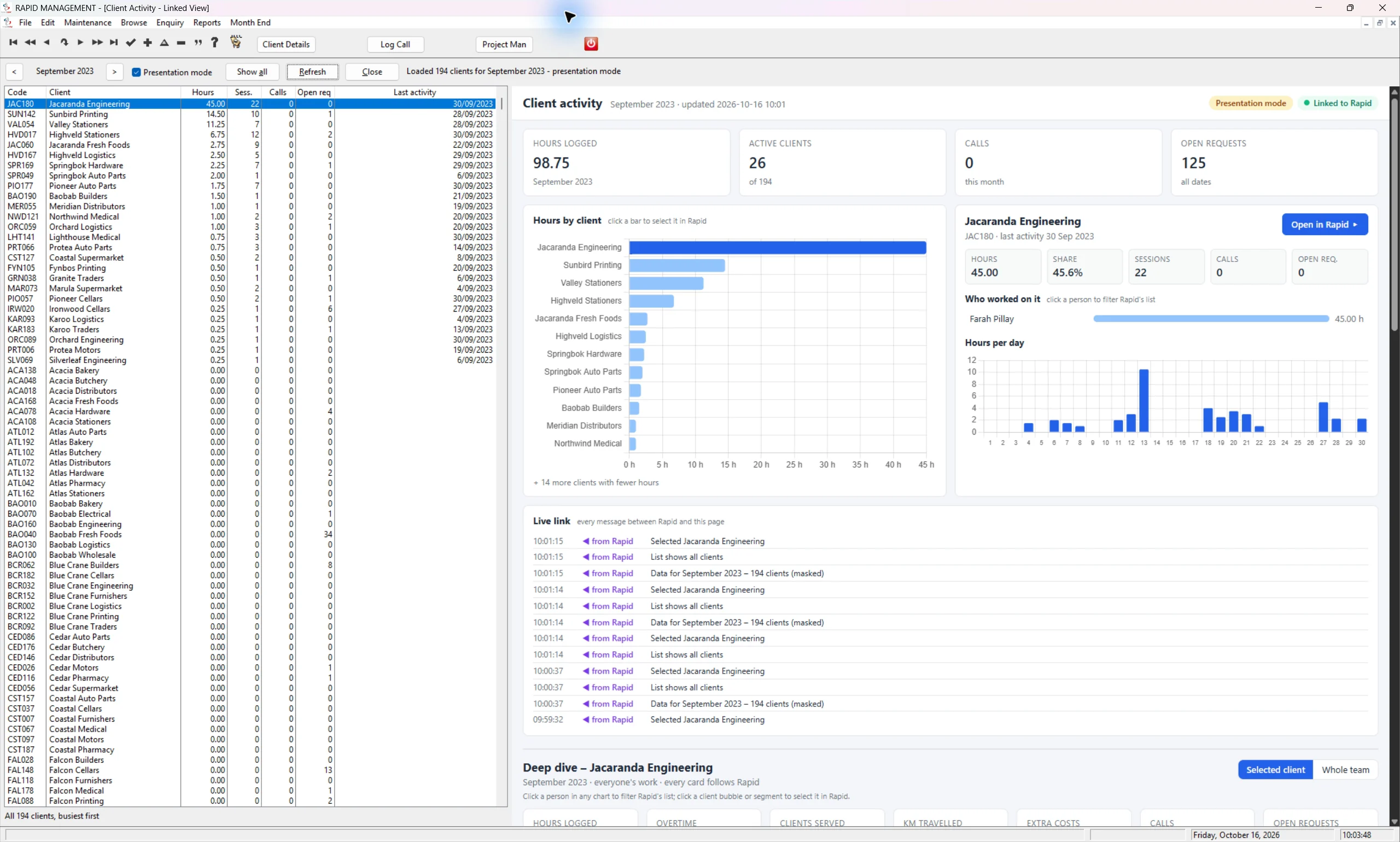 01 / The client activity overview
02 / Select a client, focus the view
01 / The client activity overview
02 / Select a client, focus the view
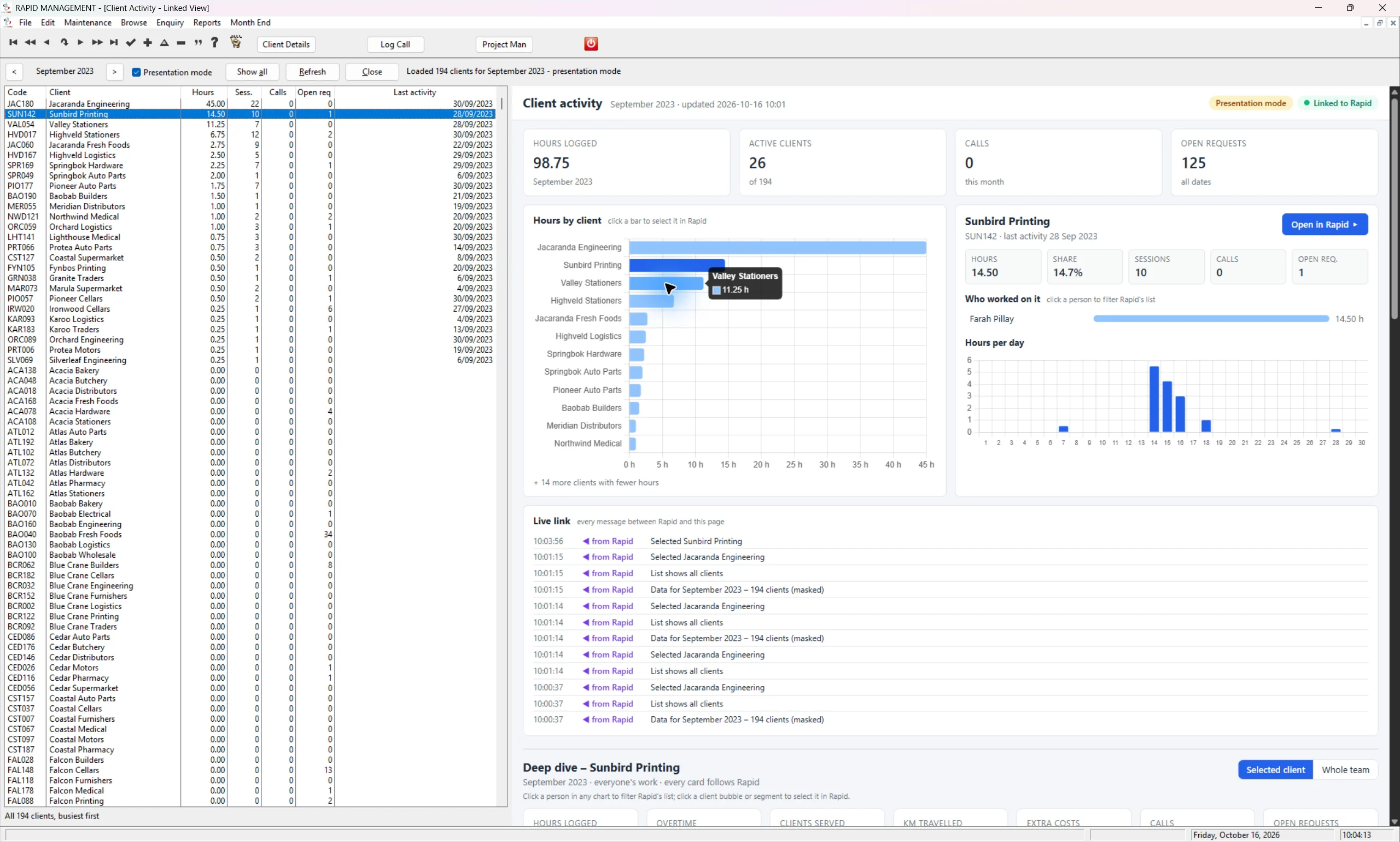 03 / Details behind the chart
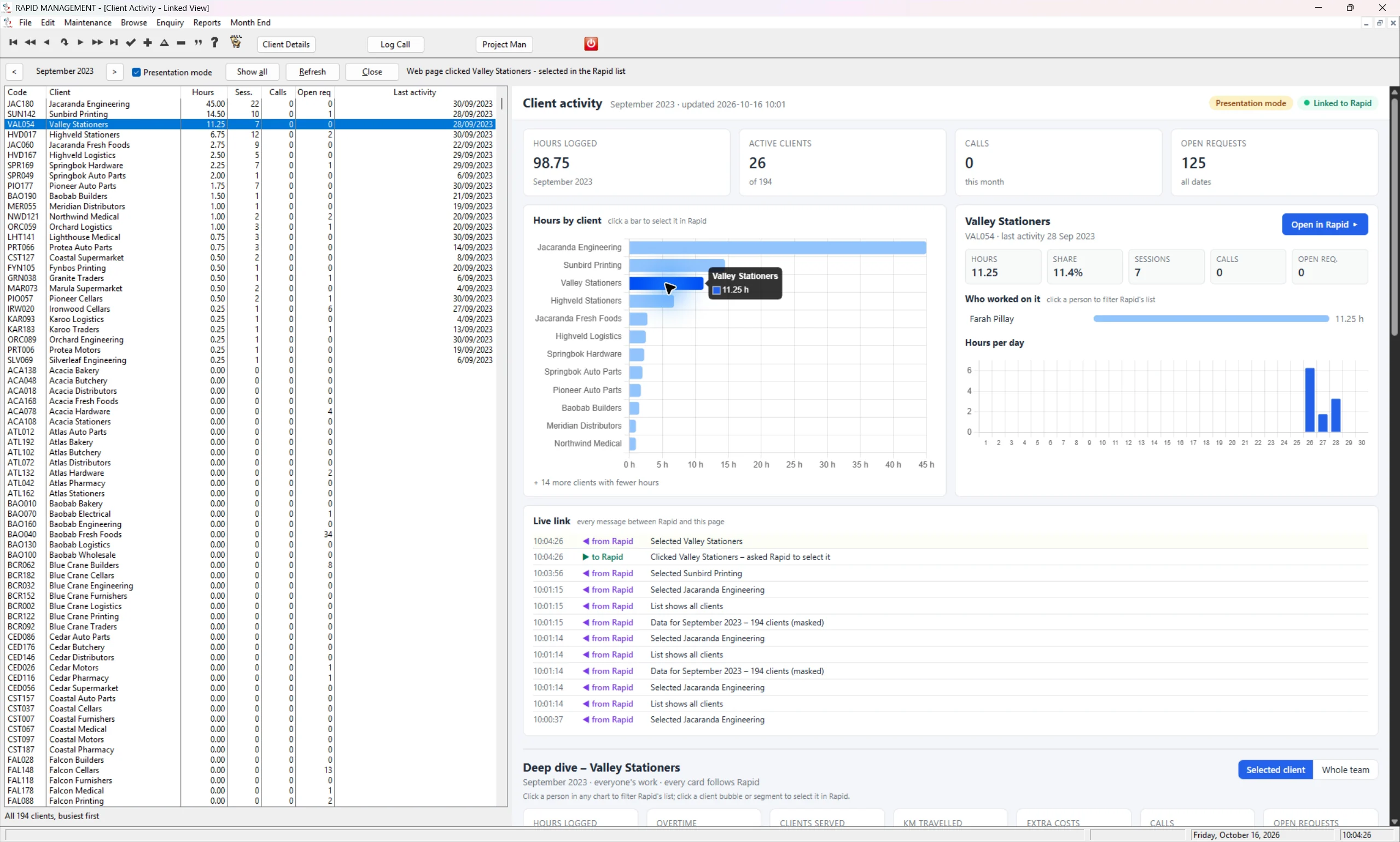 04 / Move between clients
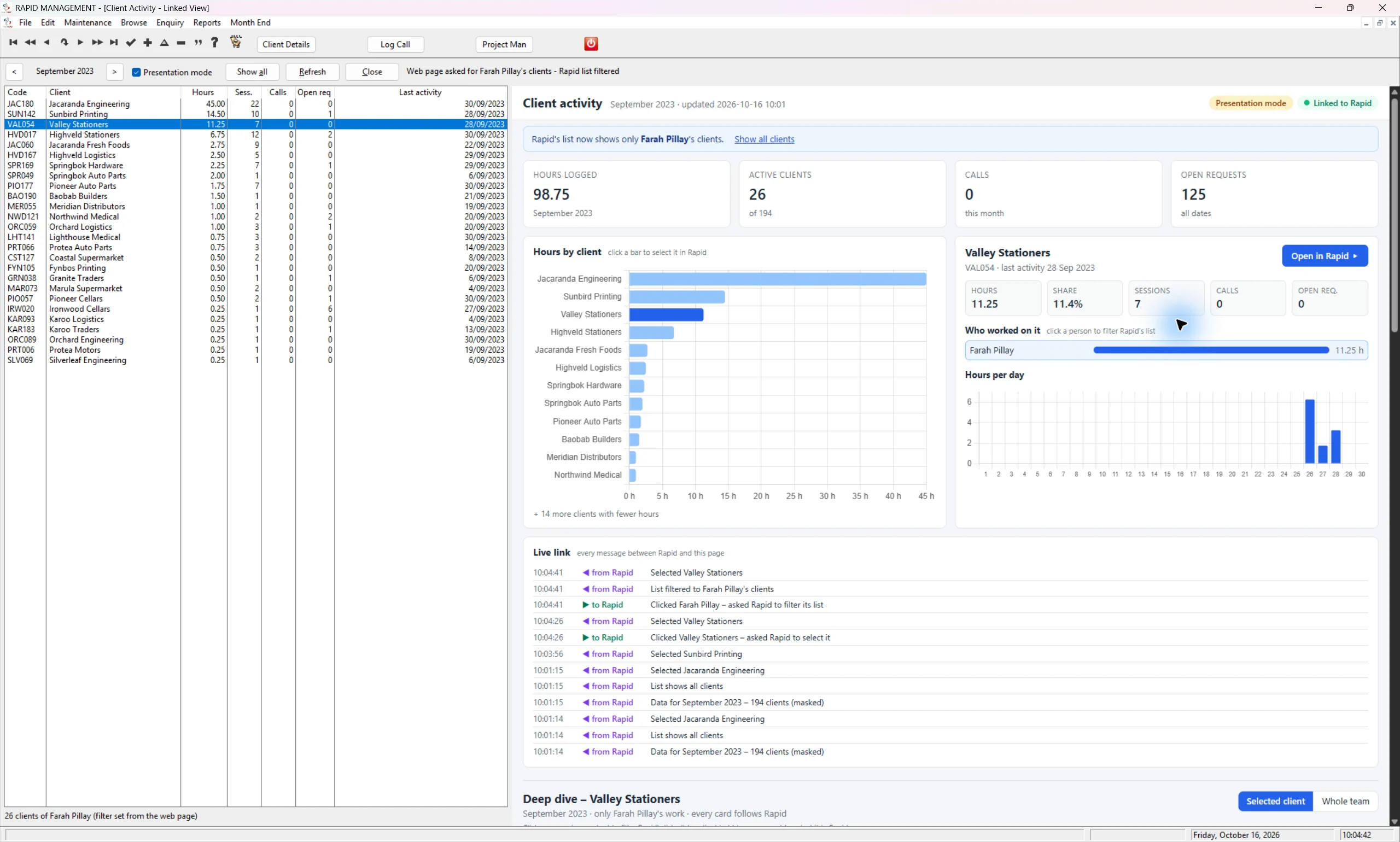 05 / Explore the client detail
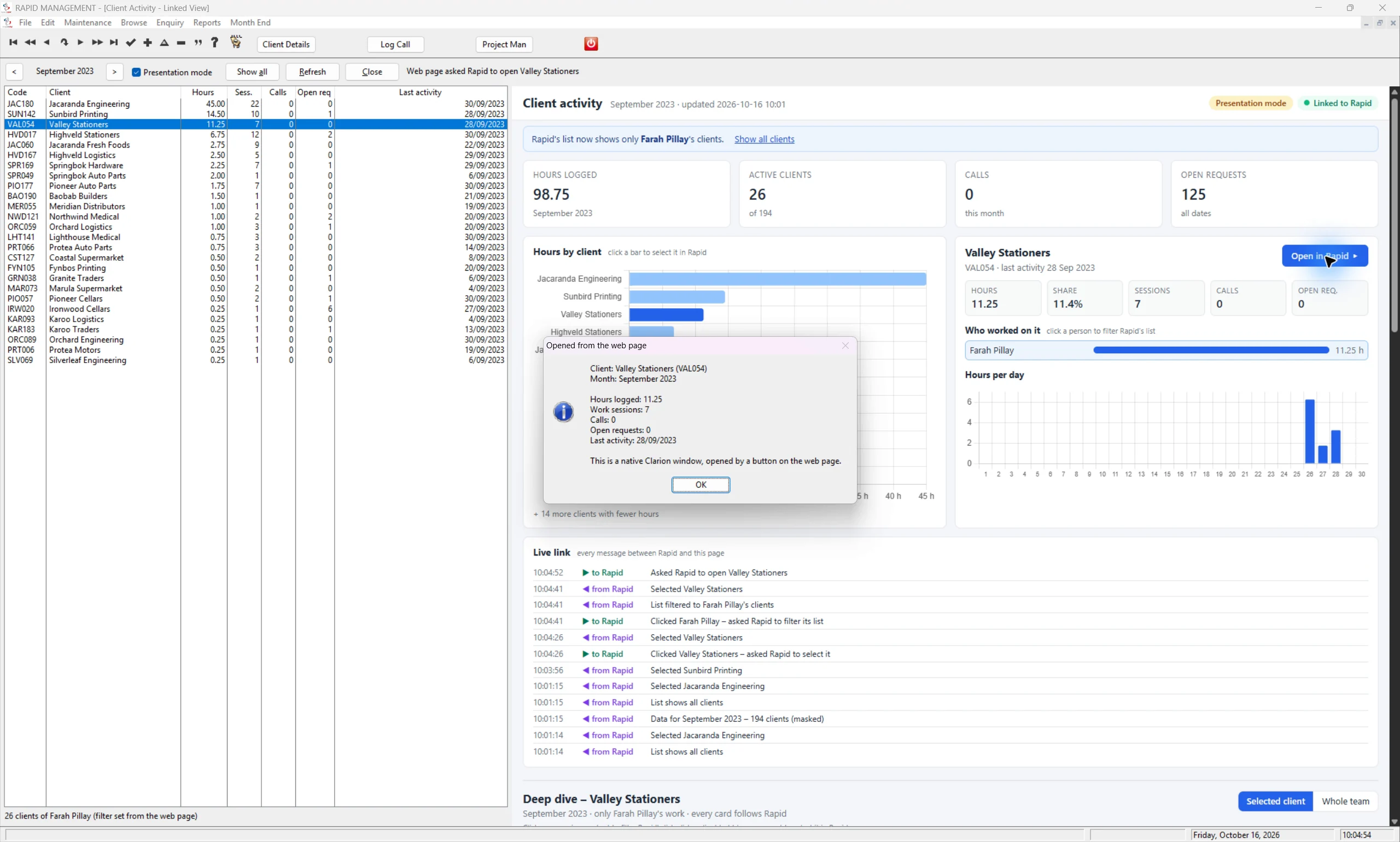 06 / Back into the desktop workflow
07 / The whole-team overview
08 / Read the exact values
09 / Trends, patterns and pace
06 / Back into the desktop workflow
07 / The whole-team overview
08 / Read the exact values
09 / Trends, patterns and pace
 10 / Explore the six-month trend
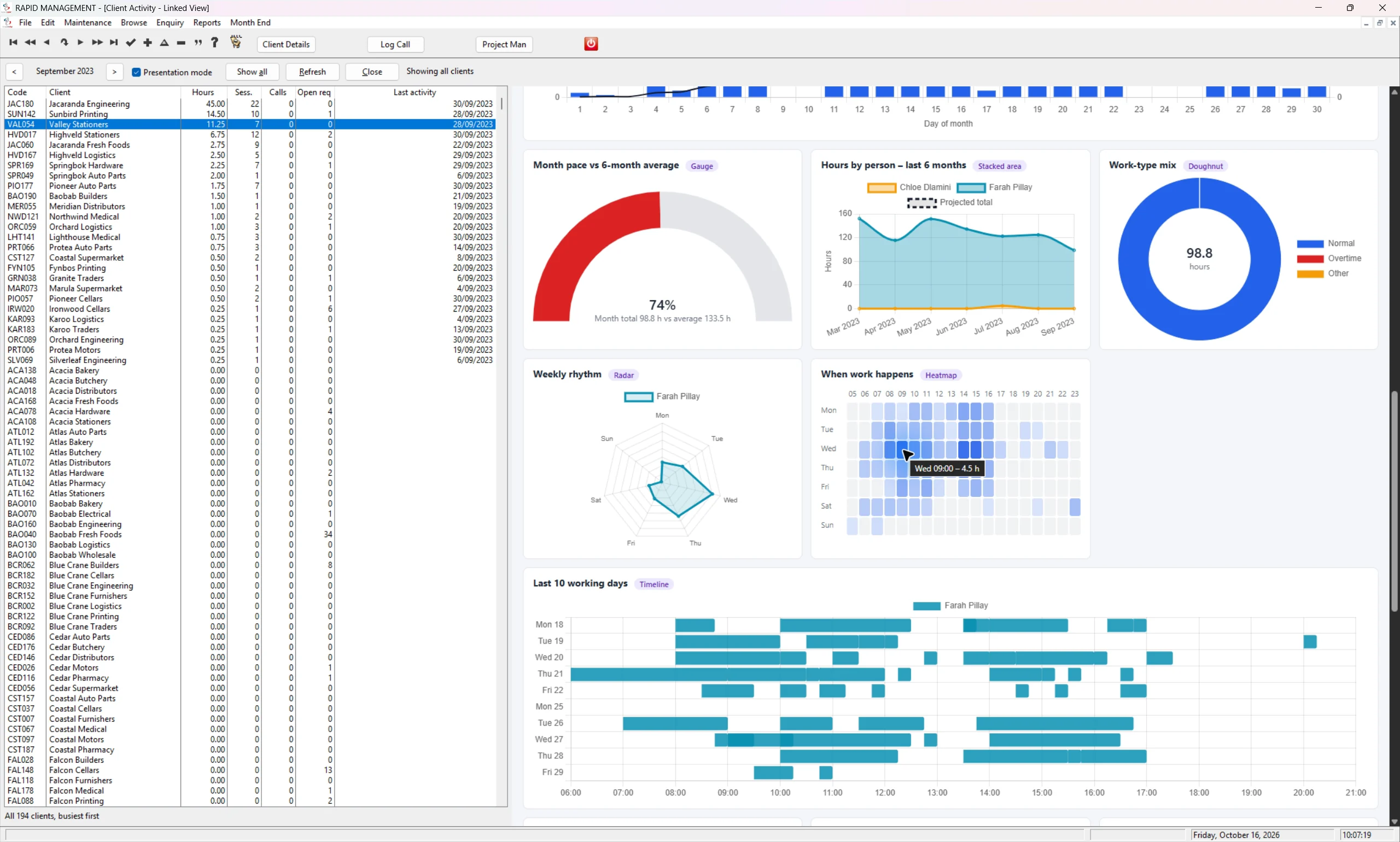 11 / Find patterns in the working day
 12 / A visual view of the workload
 13 / Explore client effort
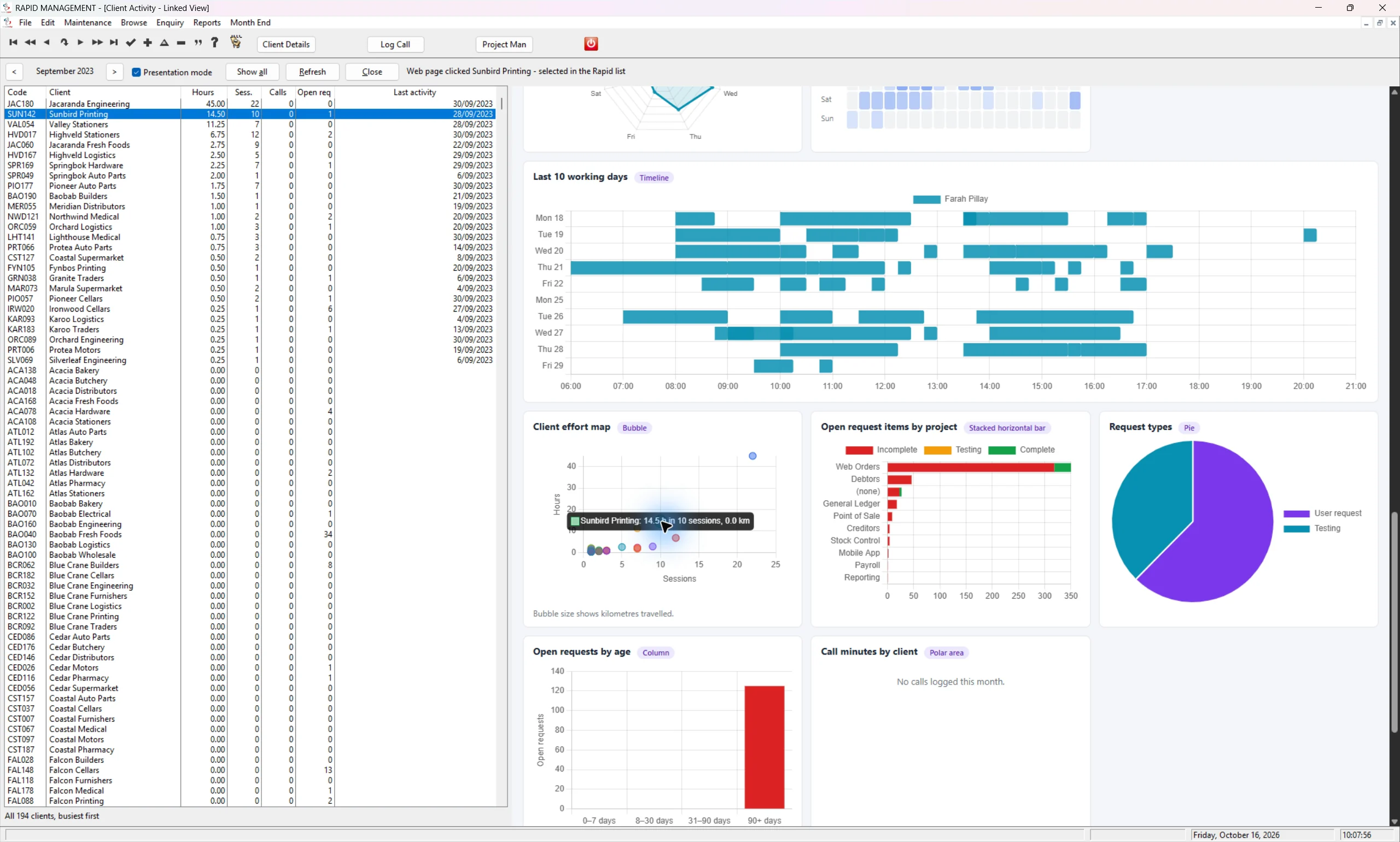 14 / From chart to client selection
15 / From an overview to the detail
14 / From chart to client selection
15 / From an overview to the detail
 16 / Keep the underlying records in view
Make your information
work harder for you.
See the bigger picture, faster.
Bring key figures and trends into one view, so your team can spend less time piecing information together.
Keep the detail within reach.
Connect visual summaries to the familiar lists and records in your application. Move from an overview to the information behind it.
Build on what you already have.
Extend the software your people use every day with a dashboard shaped around your own workflows, priorities and reporting needs.
Can this be added to our existing Clarion application?
That is the opportunity we would like to explore with you. The screenshots show a modern dashboard working inside Rapid Management. We will review your application and data to confirm the right integration and scope for your system.
Will our dashboard look exactly like these screenshots?
These images show an example of what is possible. Your dashboard can be designed around your own measures, terminology and business processes. We will agree the layout and functionality with you.
Does this mean moving our whole system to the web?
The approach shown here brings HTML and JavaScript dashboards into a Clarion desktop application. We can discuss an enhancement to your existing software, with the integration and deployment requirements confirmed for your application.
Let’s give your software
a whole new view.
Tell us which application you use and what you would like to see. We’ll take the conversation from there.